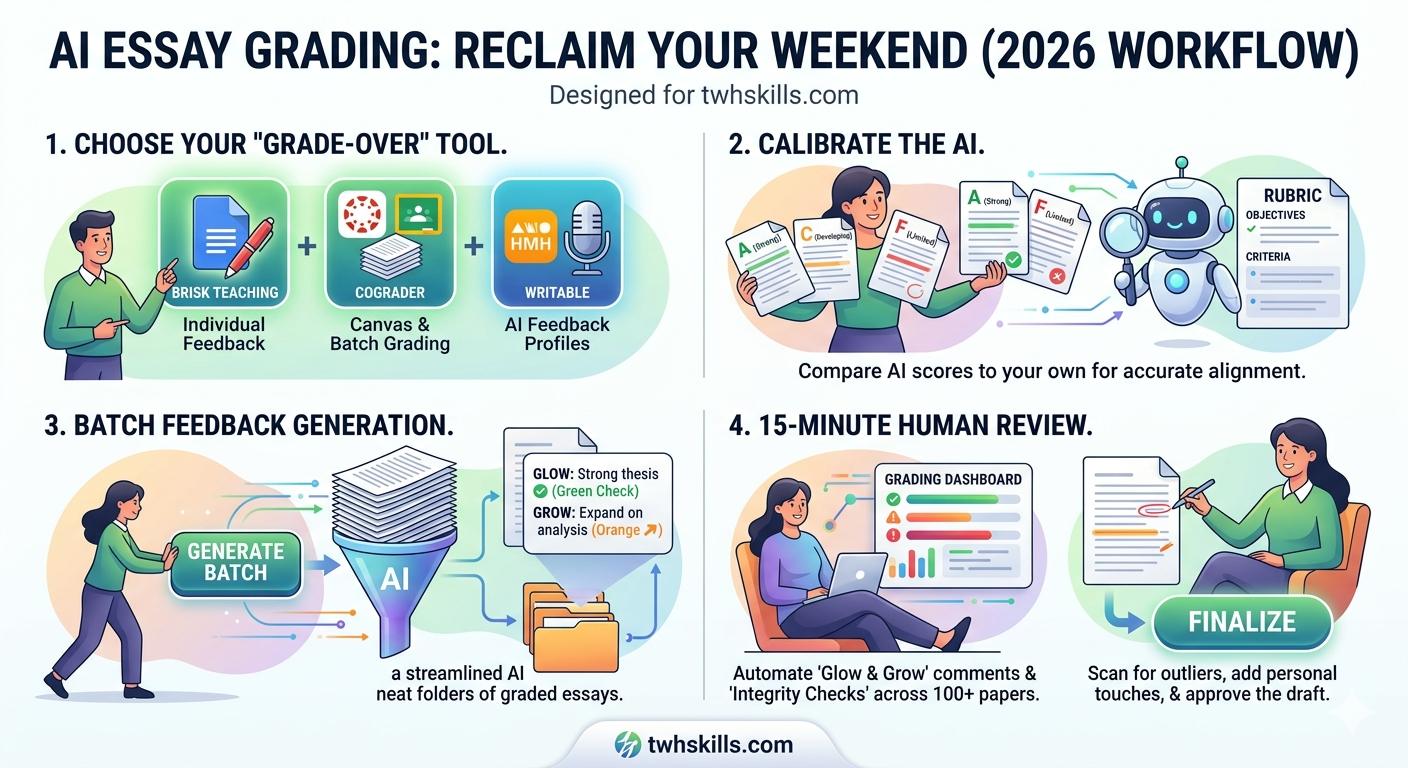
In 2026, the goal is “Human-in-the-Loop” grading. You aren’t letting the AI decide the grade; you are using it to draft the feedback based on your specific rubric. Here is the exact 4-step workflow to reclaim your weekend.
Step 1: Choose Your “Grade-Over” Tool
You don’t want to copy-paste into ChatGPT 100 times. You need a tool that “lives” where your students work.
- Brisk Teaching (Chrome Extension): The favorite for Google Docs. It sits in the corner of the screen and can “read” an essay and apply a rubric in 10 seconds.
- CoGrader: Best for Google Classroom and Canvas integration. It can batch-grade an entire assignment at once.
- Writable (HMH): For 2026, Writable’s “AI Feedback Profiles” allow the AI to mimic your specific teaching voice so the feedback feels personal.
Step 2: The “Calibration” Essay
Before you batch-grade 100 papers, you must calibrate the AI.
- Pick one “A” paper, one “C” paper, and one “F” paper.
- Run the AI on these three and compare its scores to your own.
- Adjust the Rubric: If the AI is being too easy on “Organization,” tweak the prompt to say: “Be stricter on transitional phrases and paragraph flow.”
Step 3: Batch Feedback Generation
Once calibrated, use the “Batch” feature in tools like CoGrader or Gradescope.
- The Magic of ‘Glow & Grow’: Instead of just a number, have the AI generate “Glow” (what the student did well) and “Grow” (specific areas for improvement) comments.
- Integrity Check: Tools like Brisk now include a “Replay” feature that shows you a video of the student’s typing process. If the essay appeared in 2 seconds, you know it was copy-pasted.
Step 4: The 15-Minute Human Review
This is where the “Quality” happens.
- Scan the AI’s suggested grades.
- Look for “outliers” (papers where the AI gave a surprisingly high or low score).
- The “Personal Touch” Add-on: Use the AI’s draft as a base, but add one personal sentence to every 5th or 10th paper to keep the student-teacher connection alive.
2026 Grading Tool Comparison
| Tool | Speed | Best For… | Price |
| Brisk Teaching | 10 sec/essay | Individual feedback in Google Docs | Free / Pro |
| CoGrader | 30 min / 100 essays | Batch grading Google Classroom | ~$9.99/mo |
| Gradescope | Variable | Large-scale exams & STEM essays | Institutional |
| Winston AI | 20 sec/essay | Detecting AI + Grading for Integrity | Premium |
Is it Ethical? (The TWH Skills Stance)
Some argue that AI grading is “lazy.” We argue that delayed feedback is useless feedback. If a student gets their essay back 3 weeks later, they have already forgotten the assignment. If they get high-quality, rubric-aligned feedback the next day because you used AI to assist you, their learning growth is significantly higher.
Pro Tip: Always disclose your use of AI to students. Tell them: “I used AI to help me organize these comments, but I personally reviewed and finalized every grade.”